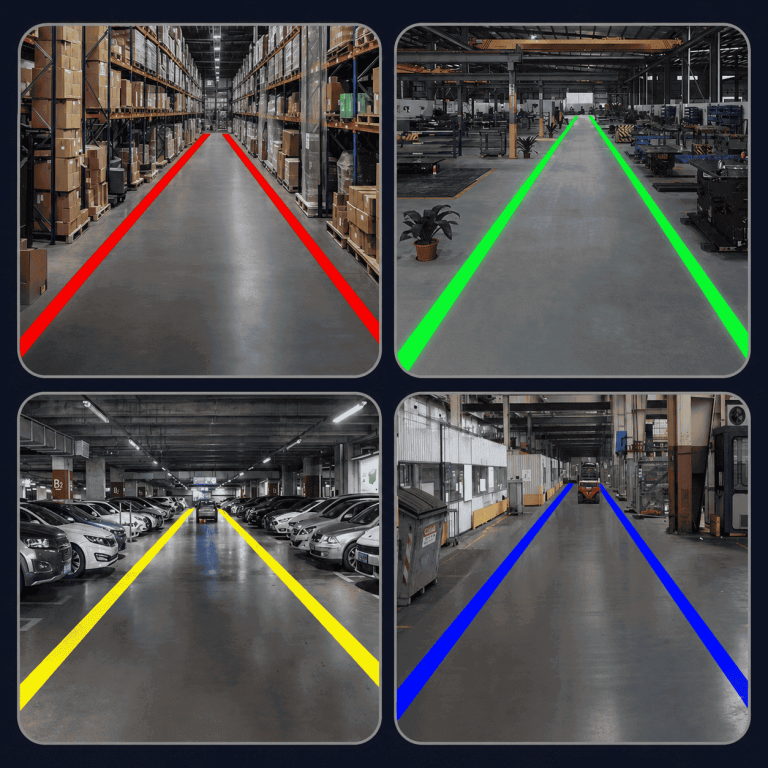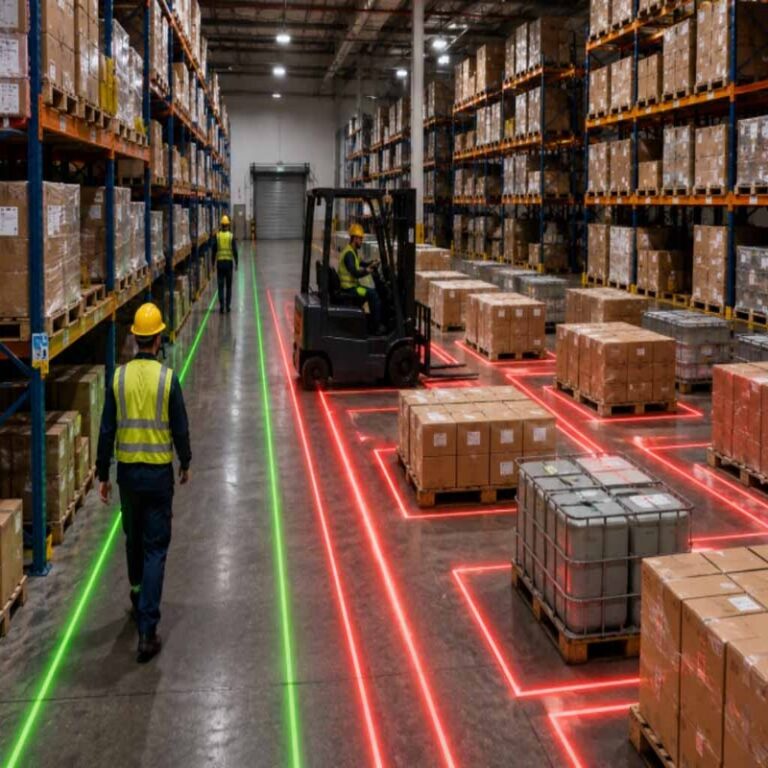

In busy warehouses, painted walkways fade under forklift traffic, floor tape peels at the edges, and static signs on walls are easily overlooked. Where forklifts and pedestrians share space, those failures leave guidance unclear at the moments it matters most. A virtual sign projector offers a different approach: instead of paint or tape, it projects bright, visible warning signs, lines, and symbols directly onto the floor. As part of industrial virtual safety signage for warehouses, this method helps keep pedestrian routes, crossings, and forklift areas clearly marked without the surface wear that affects traditional markings, supporting safer, clearer movement throughout the facility.
How a Virtual Sign Projector Works
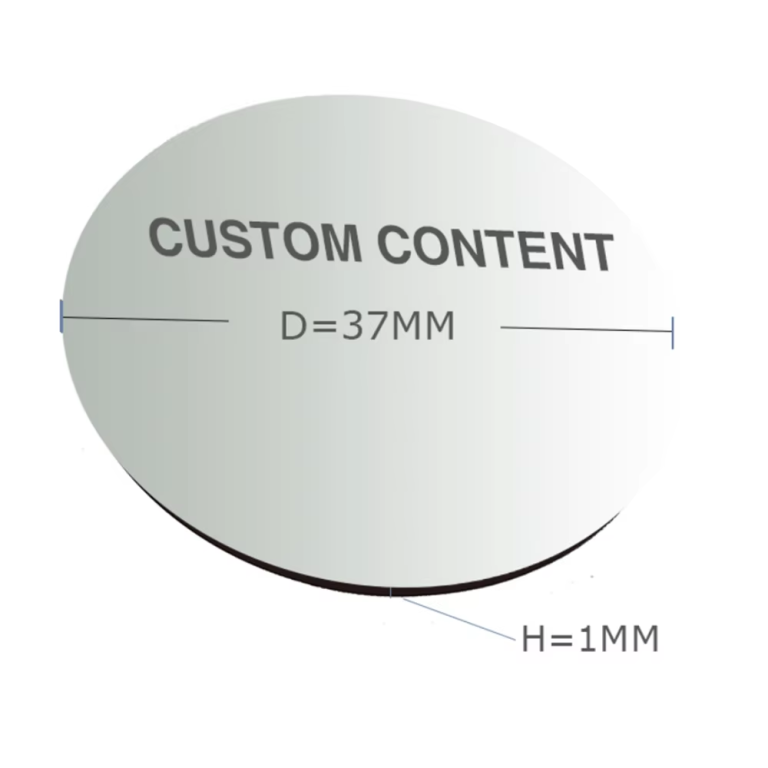
A projector is mounted in a fixed position above or beside the area to be marked, such as a pedestrian crossing, forklift aisle, loading bay, or machine zone. Inside, a light source passes through an interchangeable image template, often called a gobo, which contains the required sign, line, symbol, or text. A lens then focuses that image onto the floor or wall, creating industrial virtual safety signage for warehouses without applying anything to the surface itself.
Common projections include stop signs, pedestrian walkways, forklift warnings, exclusion boundaries, and directional arrows. Because the image is light, it remains visible over dust, scuffs, and worn concrete where paint or tape would fade, peel, or need regular replacement. It can also be changed by swapping the template or repositioning the unit when layouts, routes, or risks change.
Before installation, check mounting height, projection angle, ambient light, and surface color and condition, and confirm the selected model and image size suit your site.

Where Virtual Signage Helps Most in Industrial Facilities
A virtual sign projector is most useful where layout and surface wear make conventional markings hard to maintain. In warehouses, projected aisle markings, stop points and pedestrian crossings remain visible in racking aisles, picking zones and cross-aisles where pallets, dust and forklift tires degrade paint and tape. As industrial virtual safety signage for warehouses, it can also highlight restricted areas around charging stations and automated equipment.
A virtual floor marking projector for factories helps define machine zones, material staging areas and emergency access routes without stopping production to repaint floors. A virtual signage projector for loading docks can mark dock edges, trailer positions and keep-clear zones where vehicles, water and cleaning wear out surface markings.
Value is often highest on forklift routes and shared pedestrian areas: intersections, blind corners, doorways and crossing points, where projected floor warning signs for forklift safety form part of a warehouse pedestrian safety projection system. Managers should check sight lines, mounting positions, ambient light and floor conditions at each location first.

Visibility in Bright, Dusty and High-Traffic Environments
Projection that looks clear in a quiet aisle may be less legible near dock doors, under skylights, or where sunlight and overhead lighting wash out the floor. Dust and debris can also reduce contrast, while dark, glossy, wet, or uneven concrete reflects light differently from clean, light-coloured matte surfaces. In high-traffic areas, forklifts and pedestrians regularly pass through the projection, and splashes, tyre marks, and accumulated dirt around loading points can further affect how a sign reads during a shift.
For this reason, assess conditions at the actual installation point before selecting projected floor warning signs for forklift safety. Check the sign at different times of day, on the intended floor surface, and during normal traffic, noting viewing distance and angle for both drivers and pedestrians. Keep lenses and floors on a cleaning schedule, and confirm that the chosen sign, colour, and mounting position remain clear under your site’s worst typical conditions, not just the most favourable.
Installation and Placement Considerations
Correct placement determines whether a virtual sign projector is clearly seen or easily missed. Mount the unit on a stable overhead structure, column, or wall bracket serving the intended risk area, and keep it clear of vibration, impact from passing loads, and obstructions that could block the projected image. Angle the projection as close to perpendicular to the floor or wall as site conditions allow, because steep angles can distort text and symbols, stretch lines, and reduce legibility. Check the receiving surface before installation: clean, dry, and relatively even concrete will generally give a sharper result than dusty, wet, heavily marked, or highly reflective surfaces, and existing paint or tape should not compete with the new message.
Finally, review traffic flow at different shifts, placing the sign where forklift operators and pedestrians have time to see, interpret, and act on it before entering the hazard zone, rather than directly inside it. Confirm mounting access, power provision, and maintenance access during a site survey before finalizing the position.

How to Choose the Right Virtual Sign Projector Setup
Start with the hazard, not the projector. Map where forklifts, pedestrians and vehicles intersect, where visibility is poor, and where existing paint or tape is failing, then assign each location one clear message: a stop point, pedestrian crossing, keep-clear zone or directional cue. Choose a sign design people can read at a glance in that context, with wording, symbols, shape and color contrast suited to the traffic type, viewing angle and distance. For example, projected floor warning signs for forklift safety work best where drivers need advance notice before a blind corner or shared aisle, while a virtual signage projector for loading docks should address reversing vehicles, edge risks and pedestrian exclusion areas.
Next, assess the site conditions at each mounting point: ceiling or wall position, surface color and texture, ambient light, dust, moisture and vibration. Share photos, layout drawings and operating hours with your supplier, confirm the recommended virtual sign projector setup for those conditions, and trial the projection in place before wider rollout.
Maintenance: Projected Signs vs Paint and Floor Tape
In busy aisles, painted lines and tape are in direct contact with forklift tyres, dragged pallets, and cleaning equipment. They fade, scuff, peel at the edges, and collect dirt, so maintaining them means scheduled inspections, removing failed sections, preparing the surface, repainting or laying new tape, and keeping the area clear while it dries or bonds. Each repair can disrupt picking and vehicle movements.
A virtual sign projector avoids that floor-level wear because the image is projected, not applied. For projected floor warning signs for forklift safety, routine upkeep is mainly visual checks that the sign remains complete and legible, cleaning dust from the lens with methods recommended by the manufacturer, and confirming the mount and alignment have not shifted after knocks, vibration, or work overhead. If pedestrian routes or work zones change, the projected image can usually be updated without stripping the floor. Managers should still log checks, plan access equipment in advance, and confirm care requirements for their specific site conditions.
FAQ
Will a virtual sign projector stay visible in bright warehouse lighting?
Visibility depends on ambient lighting, floor colour and finish, and mounting position, so results will vary from aisle to aisle. As part of industrial virtual safety signage for warehouses, it is best to test the projection on your actual floor surface under normal working light and confirm the specifications suit your site conditions.
Where can projected signs be used, and how are they installed?
A virtual sign projector is typically mounted in an overhead position and aimed at the floor or wall where the warning needs to be seen, with the image element defining the sign, line, or symbol shown. This allows the same approach to be used for projected floor warning signs for forklift safety at intersections and as a virtual signage projector for loading docks. Installation should be planned around mounting structure, power access, and sightlines, and carried out in line with your site’s electrical and working-at-height procedures.
How durable is a projected sign compared with paint and floor tape?
Because the sign is projected light rather than a material applied to the floor, it does not scuff, peel, or wear away under forklift and pedestrian traffic in the way paint and tape can. Durability therefore depends mainly on the projector, so as a virtual floor marking projector for factories it should be selected for the dust, moisture, and vibration present on site and maintained with regular lens cleaning.
How do I choose the right setup for my facility?
Start by defining the hazard and the audience for each location — for example, separating forklifts and pedestrians, marking a walkway, or warning at a dock edge — and the sign, symbol, or line that communicates it most clearly. From there, build the warehouse pedestrian safety projection system around mounting height, floor surface, ambient light, and viewing distance, and confirm the recommended specifications with the supplier against a plan or survey of your site.
Conclusion
A virtual sign projector offers a practical option for industrial virtual safety signage for warehouses, keeping warnings visible where paint and floor tape wear, fade, or are obscured. The right choice depends on your site: the areas to be marked, forklift and pedestrian traffic, floor and lighting conditions, mounting position, and the signs, lines, or symbols each location requires. Consider also installation, maintenance, and how easily messages can be updated as layouts or risks change. Confirm specifications against your own site conditions before selecting a model. View the relevant WarningProjector product page to compare options for your facility, or request a quote based on your application.